 ● Beta · macOS (Apple Silicon)
Luma: notes, tasks and calendar in plain Markdown.
A desktop app that keeps everything as Markdown files in a folder you choose, readable in any other editor, with an optional two-way sync to a GitHub repository.
Latest release v0.9.0, 22 Oct 2026 · Release notes ↗
- Built with
- Electron · Nuxt · Tiptap
- Status
- v0.9.0, Beta
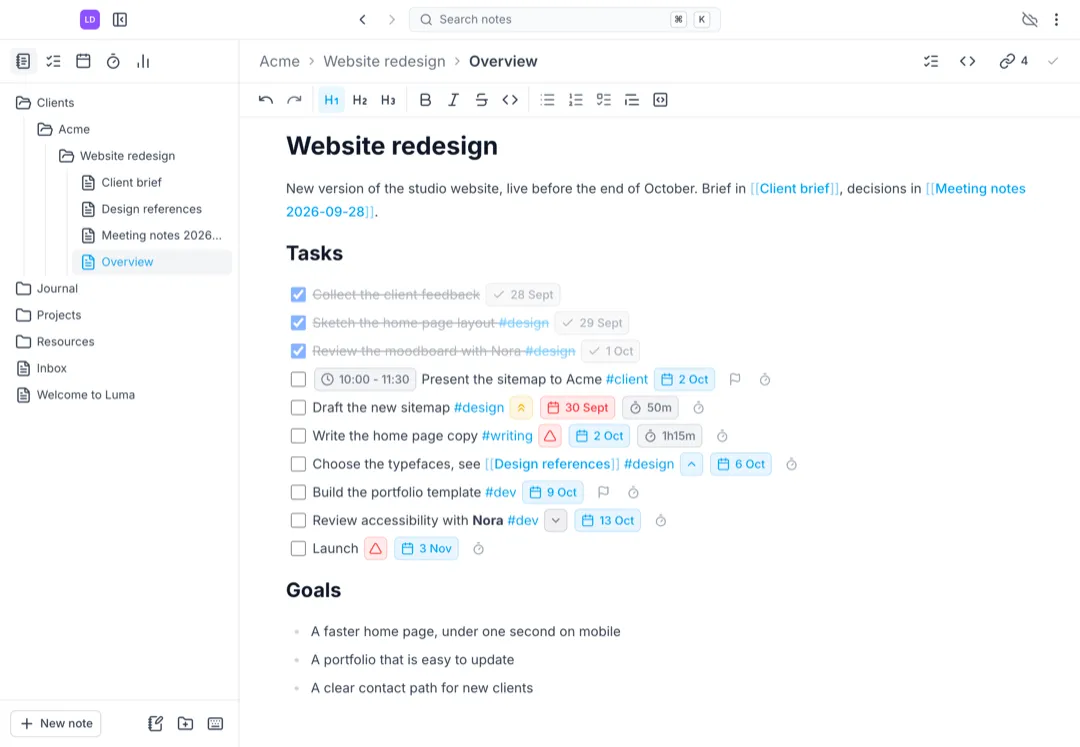

Luma on a made-up vault. Acme and the people in it are fictional.
How it works
Notes, tasks and time, in one vault.
Everything lives in the same folder of Markdown files, so a task written in a meeting note shows up in the calendar, and the time spent on it lands back in the note.
 01
01Projects and tasks
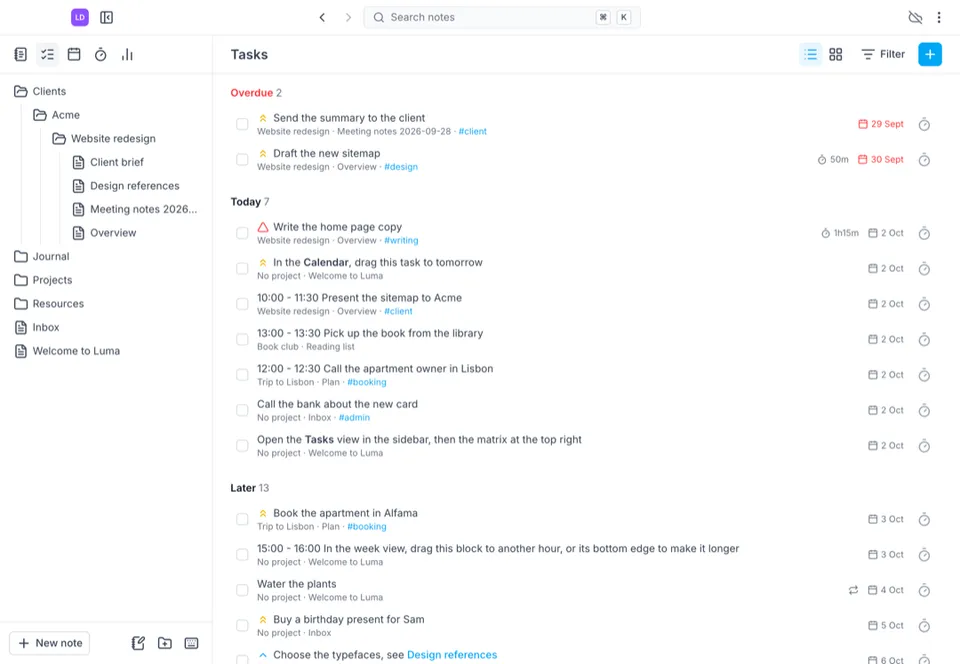
A task is a Markdown checkbox in any note, with a priority, a due date and hours. One view gathers them all, from overdue to later.
 02
02Calendar and daily notes
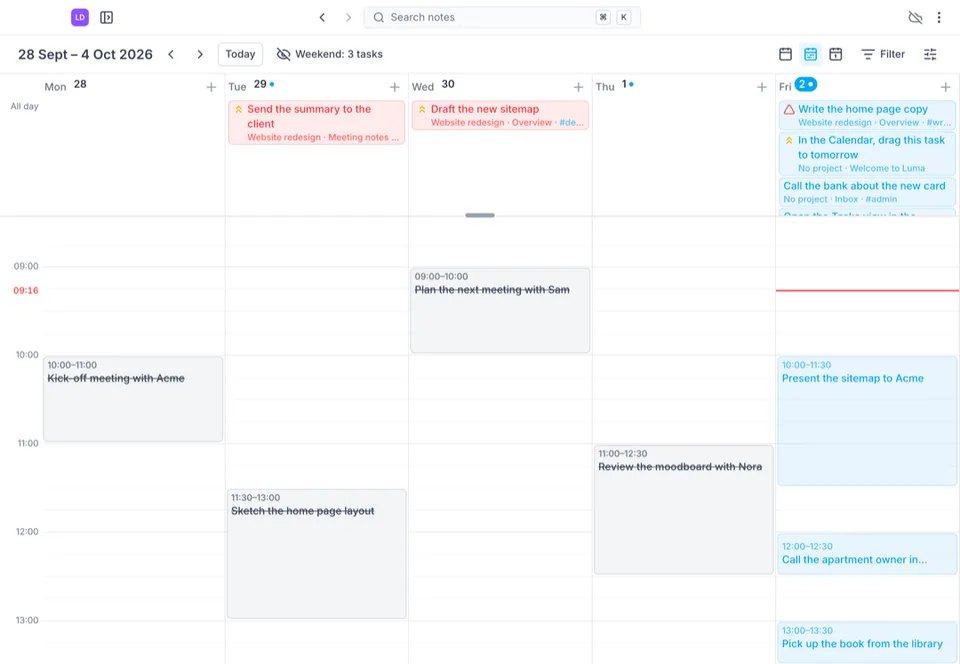
Month, week and day views place the tasks on their date and hours. Drag a task to move it, click a day to open its daily note.
 03
03Focus and history
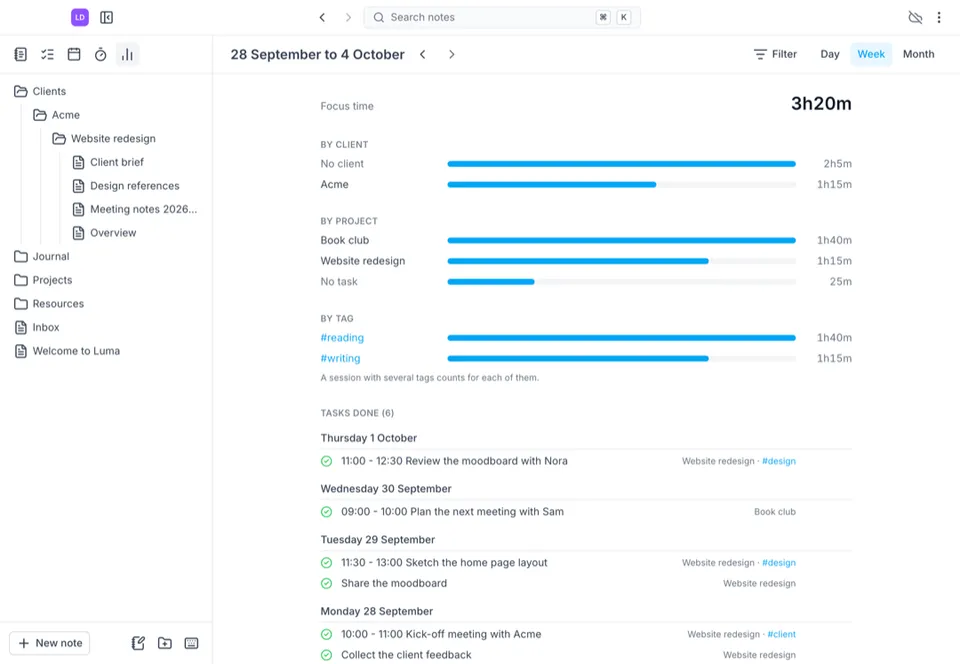
A Pomodoro timer on a task adds the time spent to the task line, and the history shows where the time went, per client, project and tag.
 04
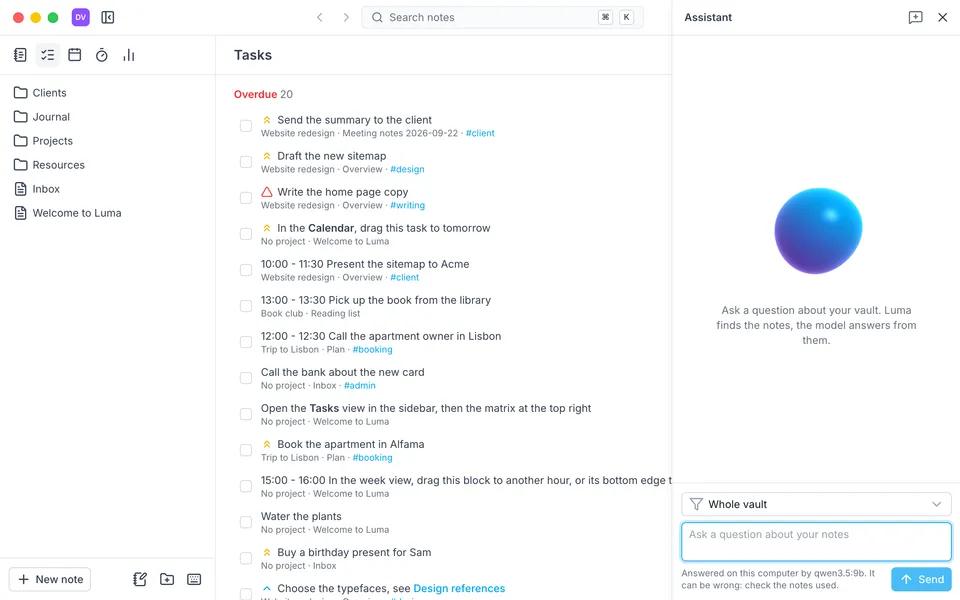
04Ask your vault
A local model run by Ollama answers questions about your notes and tasks, and shows the notes it used. Off by default, read only.


Promises
It's a folder on your Mac.
Your notes should outlive the app you write them in. Here is what Luma commits to, in one place.
A file you can read.
Every note is a plain Markdown file, in a folder you choose.
Open it anywhere.
Any other editor reads your notes, and an existing Obsidian vault opens as is.
Your sync, your repository.
Sync is optional, and goes to your own GitHub repository through the Git of your Mac.
Nothing lost in a conflict.
When two edits collide, both versions are kept.
AI that stays on your Mac.
The assistant talks to a model running on your own computer through Ollama. No note is sent anywhere, and it stays off until you turn it on.
Not there yet
- One vault open at a time, and only the open vault is synchronized.
- The calendar shows tasks only, no events and no Google, Outlook or iCloud calendars.
- Tasks repeat on a plain interval only, with no start date and no Kanban view.
- Focus sessions cannot be edited or entered by hand, and the history has no charts.
- macOS on Apple Silicon only, for now.
Try it on your own notes.
A free download for macOS on Apple Silicon. Point it at any folder, or at an existing Obsidian vault.
Download Luma ↗